AL Generic Import - User guide
How to set up and use the app in Business Central.
AL Generic Import loads data from Excel into the journal lines (and other records) of Business Central. This guide covers the setup, how to prepare the file, and the import actions on the journals.
1. Concepts in one minute
- The import reads an .xlsx file whose first row holds the column headers: a column fills the field whose name matches the header, in the language of your session. There is no mapping table to maintain.
- Unknown columns are ignored, so the sheet can keep extra working columns.
- The action is on four journals out of the box: item journal, physical inventory journal, general journal and recurring general journal.
- The general journal also has a dedicated open customer/vendor entries import that groups rows by document - the typical go-live load.
- Large files import in linear time; the working block size is tunable from the setup.
2. Prerequisites
- Business Central 25.0 or higher (Cloud/SaaS).
- The dependencies installed (automatic from AppSource): AL Message Passing, AL Role Center.
- Permissions: assign the AL Generic Import permission set to the users.
You reach the app from Tell Me (search "Setup (GIM)" or the journal names), from the Generic Import (GIM) group in the Business Manager role center, and from the AppLibra role center (Shift+F12 -> Explore other roles -> AppLibra).
3. Setup (GIM)
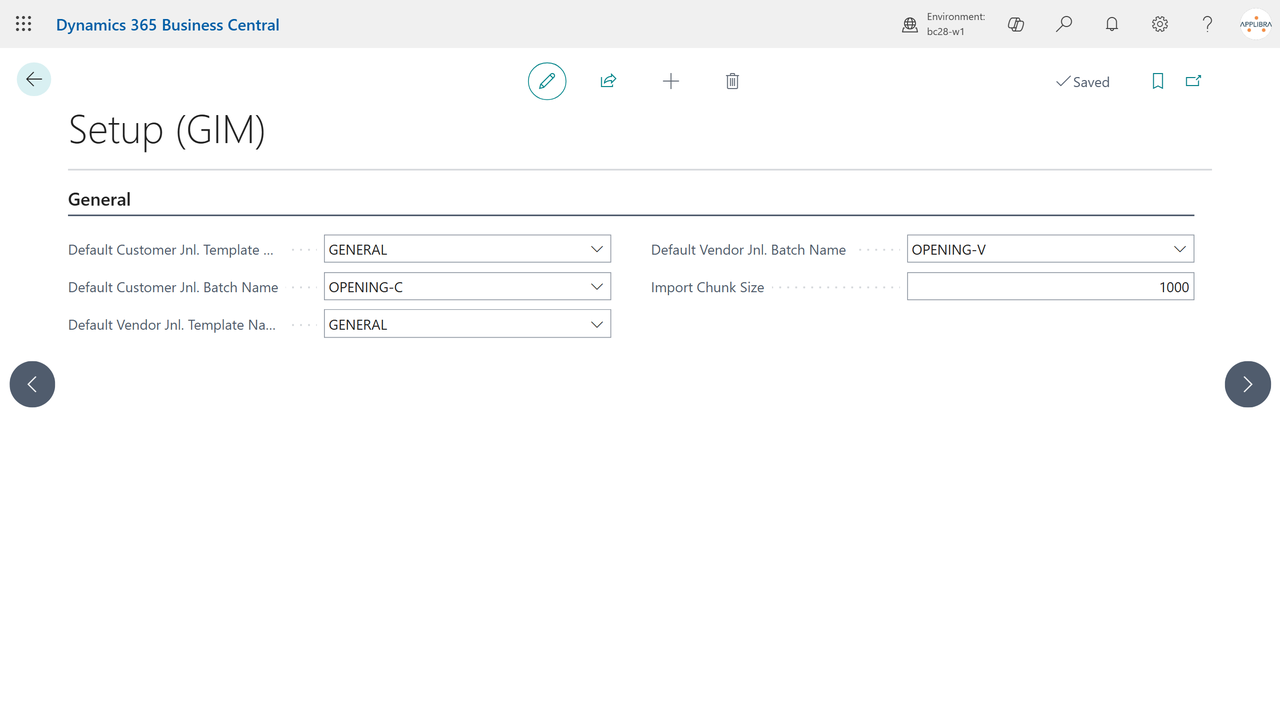
Open Setup (GIM) (the record is created on first open). Fill in what you need:
- Default Customer/Vendor Jnl. Template Name and Batch Name - the journal destination used by the scheduled runs of the open entries import; each batch is picked within its template.
- Import Chunk Size - rows processed per window during the import (default 100, 0 = default). The default is the measured optimum: change it only when tuning a particular load.
4. Prepare the Excel file
- Row 1: the field names as column headers, written in the language you use to log in (the import matches your session language).
- One row per journal line. Dates, amounts and option values in your regional format.
- On the general journal imports, a column headed with a dimension name fills that dimension (shortcut dimensions 3 to 8).
- A column headed Journal Batch Name routes each row to that batch instead of the current one.
5. Item and physical inventory journals
Open the journal and run Import from Excel: confirm, pick the file (and the sheet, if more than one). The rows are appended to the journal as new lines.
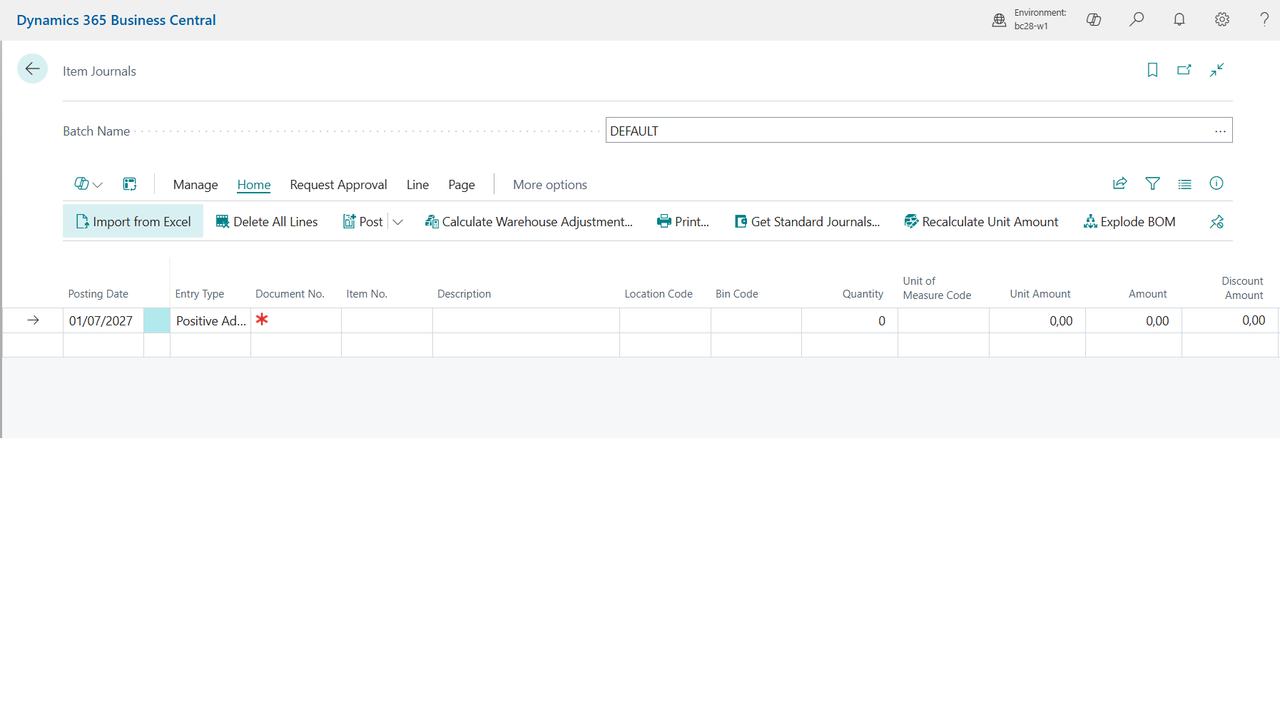
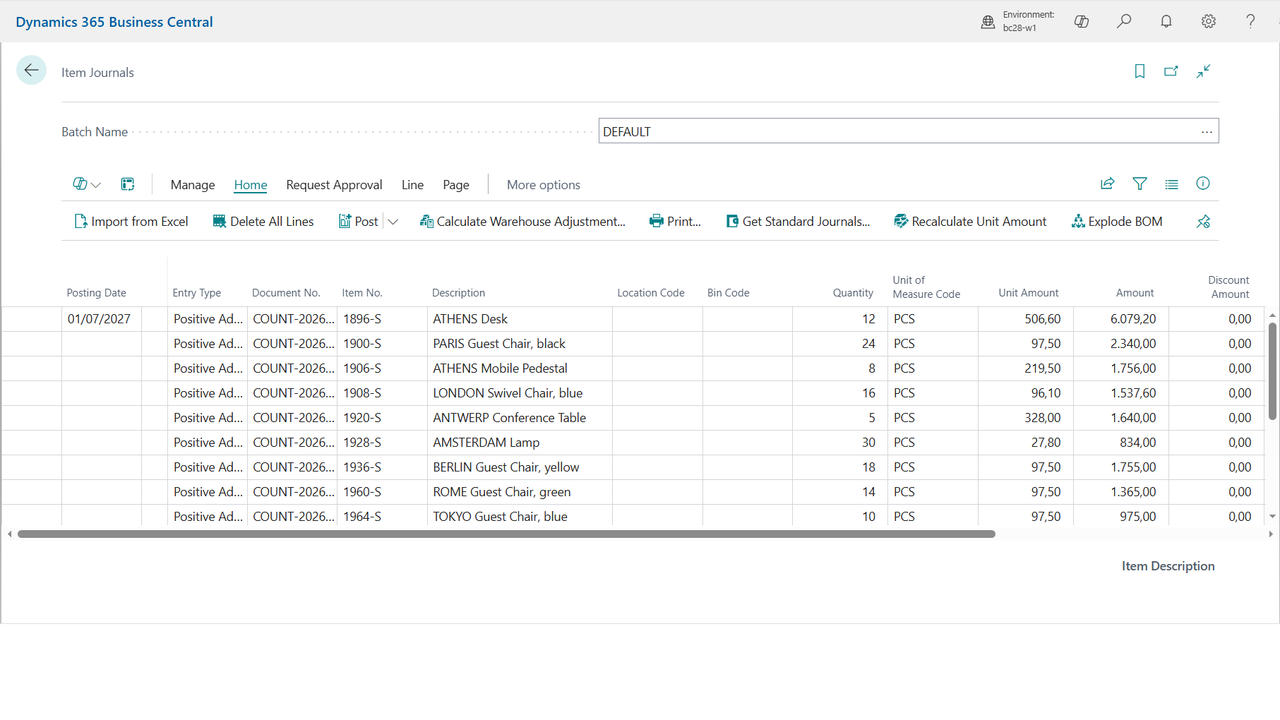
Delete All Lines clears every line in the current view when you want a clean run. Posting stays the standard Business Central posting: review the lines, then post.
6. General journal: two imports
- Import from Excel - loads the rows one by one, as they are in the sheet.
- Import Open Entries from Excel - for opening balances: rows of the same document are grouped (amounts summed), currency factors are derived when needed, blocked customers are unblocked just for the load, and rows without a document number get a VOID1, VOID2... progression so nothing is silently merged.
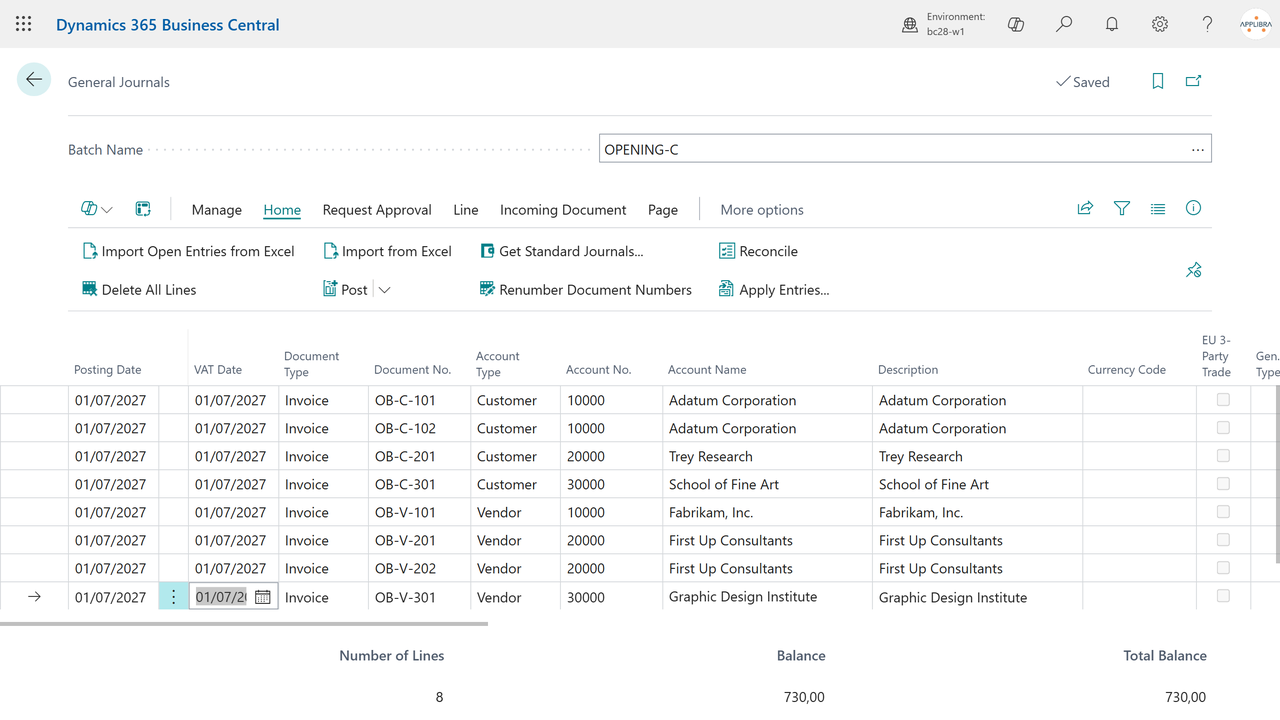
Both actions are available on the recurring general journal too. With AL Generic Import IT installed, the Italian payment installments are generated on the imported open entries.
7. Large files
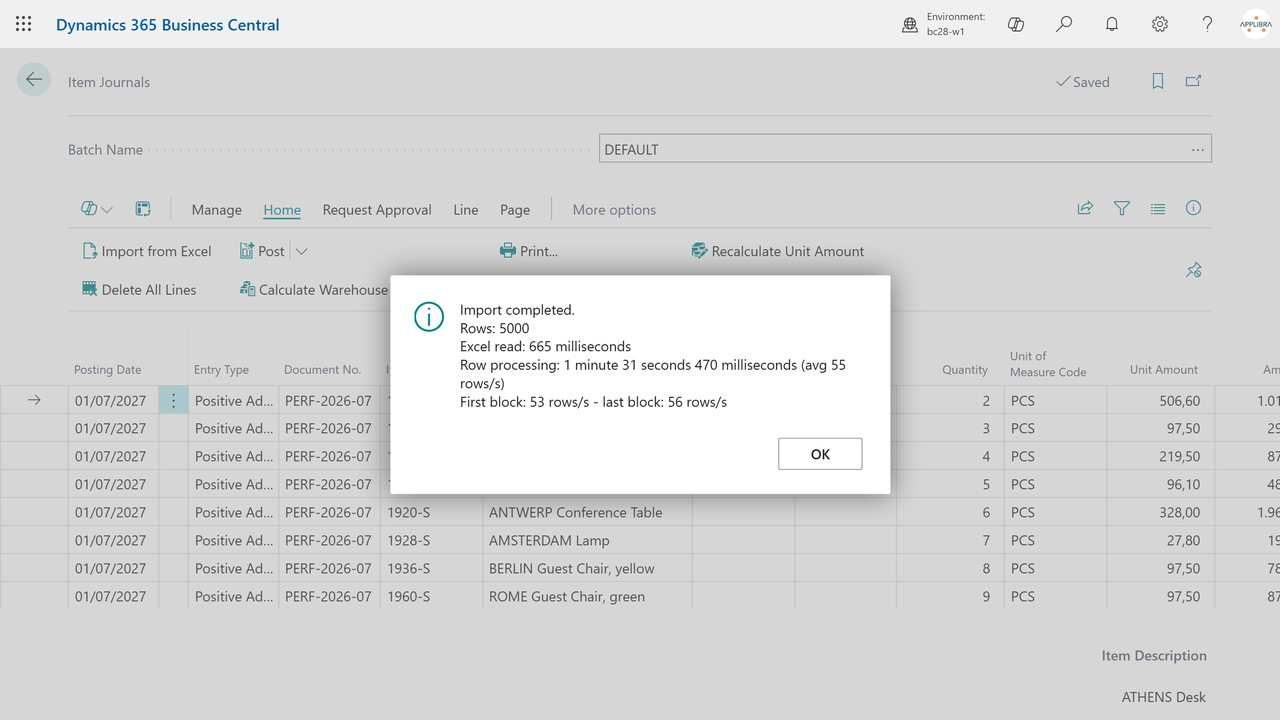
Import time stays linear: tens of thousands of rows import at a steady pace, and at the end a message reports the row count, the Excel read time and the rows per second (first and last block, so you can verify the pace stayed flat). If you tune Import Chunk Size, that message is your measure.
8. Rows that cannot be imported
A row the standard refuses - a value that does not fit the field, a code that does not exist, a wrong data type - no longer stops the import. That row is skipped and the import carries on with the rest, and nothing half-written is left behind: if the record for that row had already been created, it is removed.
At the end you get the list of the skipped rows with their row number in the file and the reason, so you can correct them in the sheet and import only those again. The first twenty are listed one by one, with a count of the remaining ones. When the import runs unattended in the job queue, where no message can be shown, the same list is written to the import log.
Two things worth knowing. The row number is the one in the Excel file, header included, so it matches what you see when you open the file. And an import that ends with skipped rows is a partial import: the good rows are in, so check the list before posting.
9. Italian localization
In Italy, open customer and vendor entries carry payment installments. The companion app AL Generic Import IT adds exactly that: when you run the open entries import, each imported document gets its Italian payment installments (Payment Lines), with the amount and due date of the rows the document was built from. Re-importing a document rewrites its installments instead of stacking them.
There is nothing to configure and no extra action: install the companion and the installments appear as part of the open entries import. The companion requires the Italian localization of Business Central, and installing it also installs AL Generic Import.
10. Extending the import (for partners)
The import raises events on the AL Message Passing bus - before inserting a record, before assigning a value, before modifying the record - so a partner extension can adapt the load to any table or any special field without touching the app. Contact AppLibra for the integration points.