
AL Fatturazione Elettronica
by AppLibra
Issue and receive FatturaPA e-invoices in Business Central, with the Italian VAT reports.
The app in Business Central
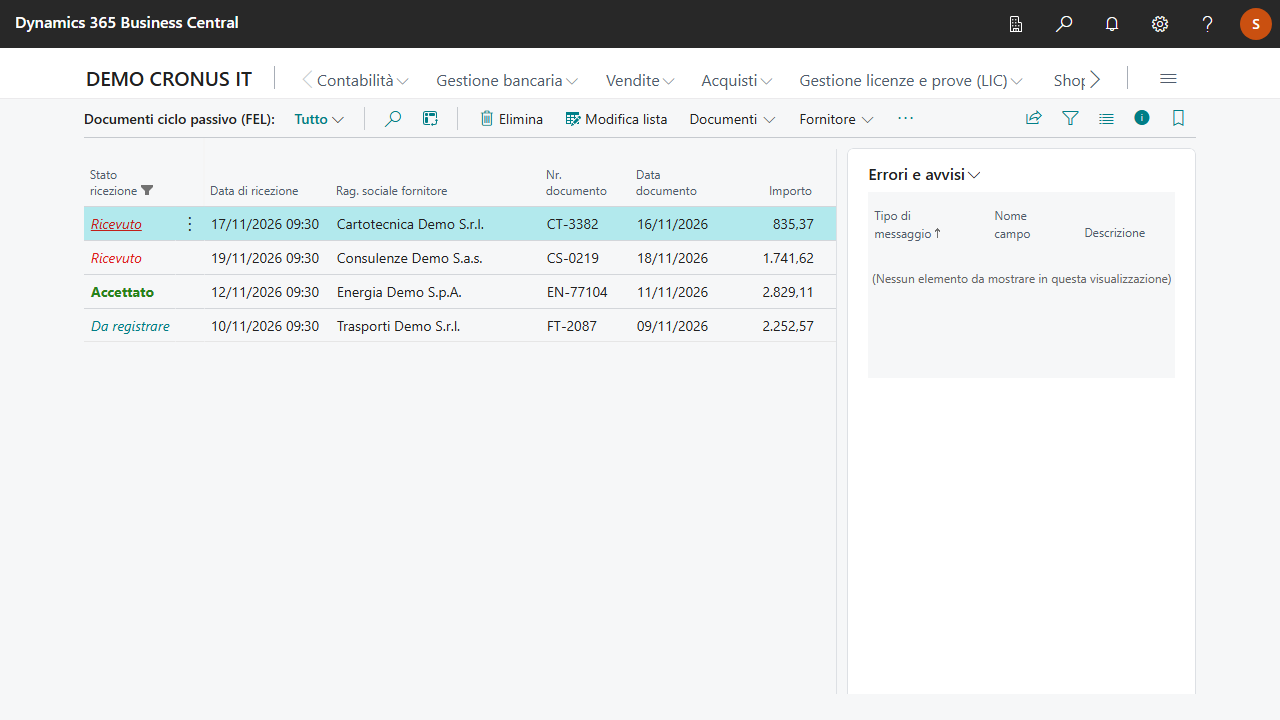
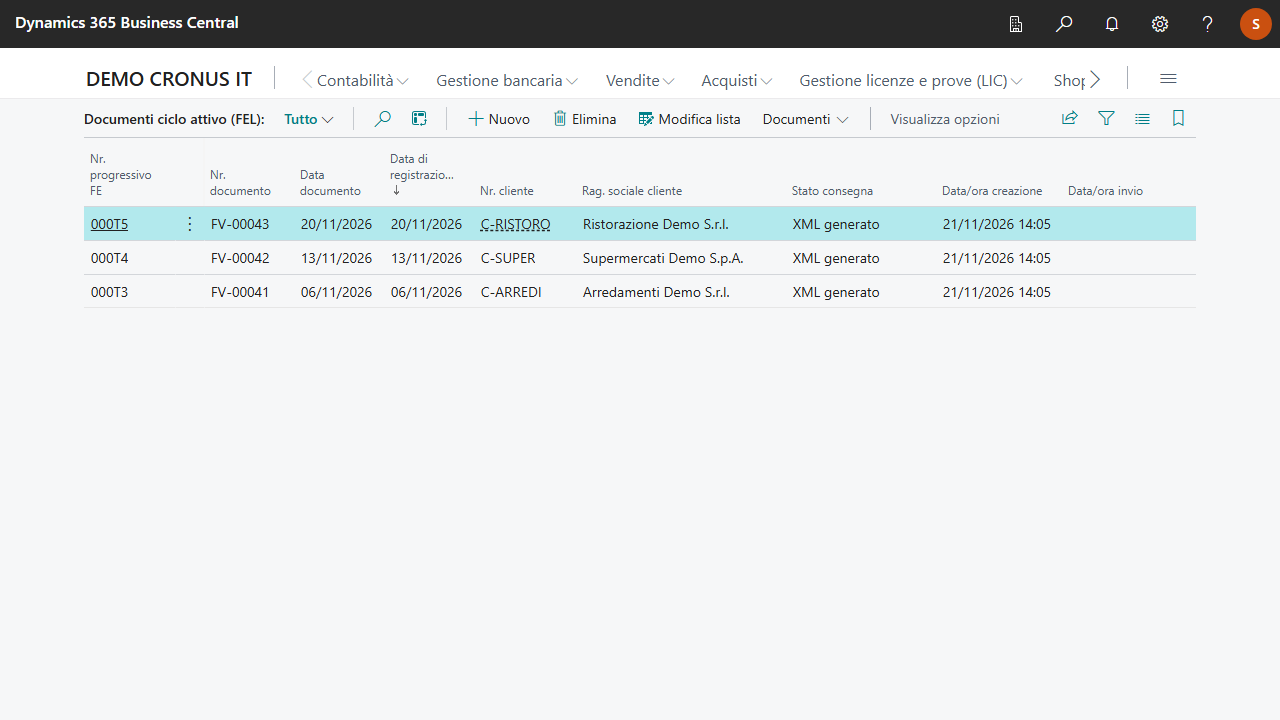
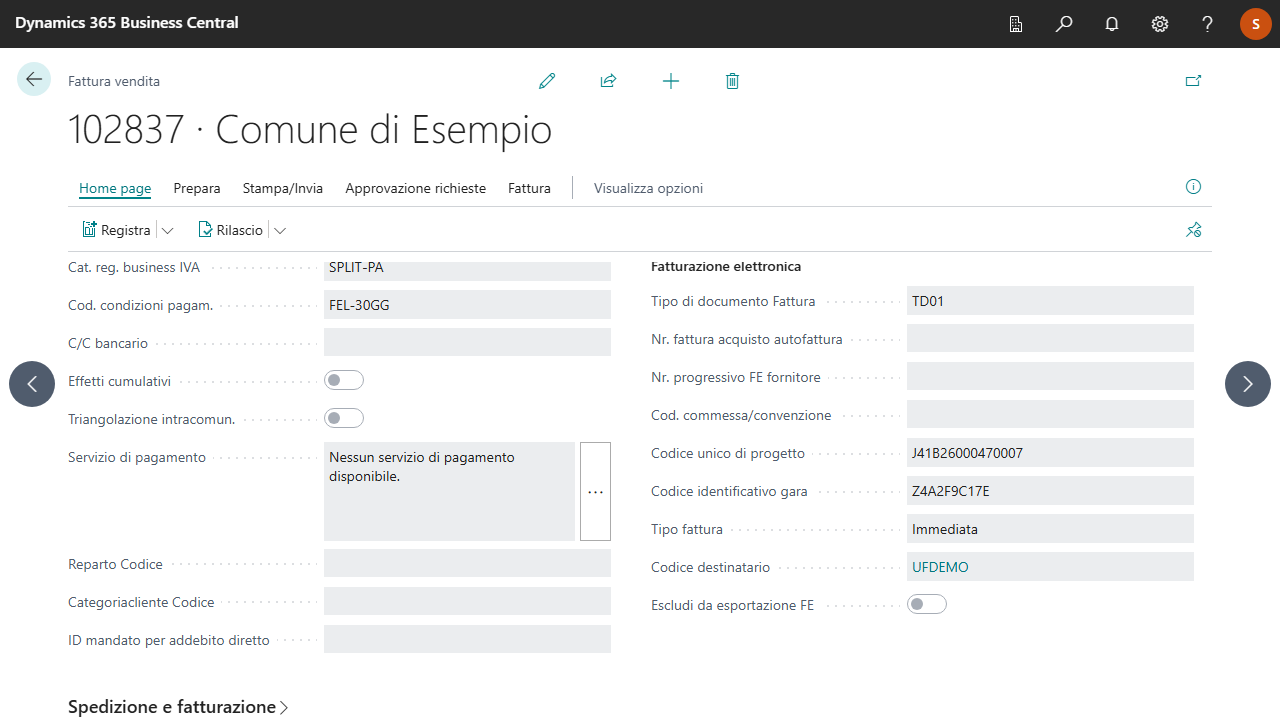
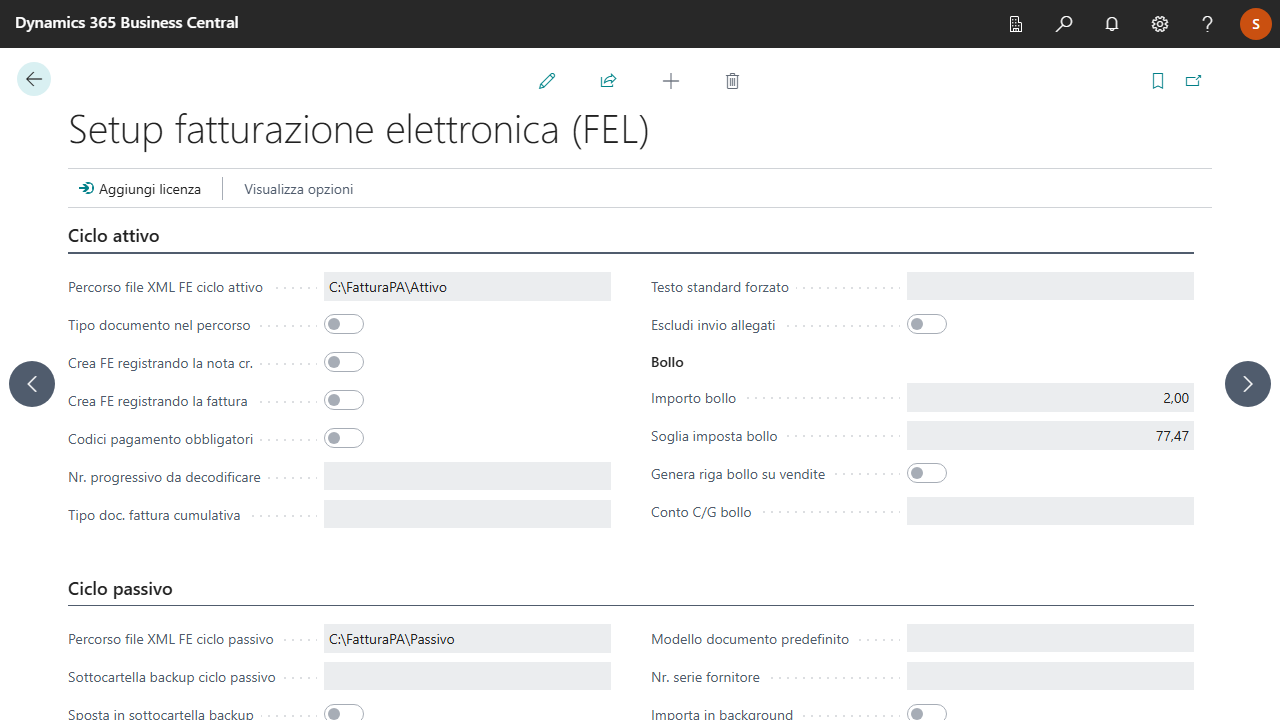
AL Fatturazione Elettronica brings the Italian electronic invoice into Microsoft Dynamics 365 Business Central, outbound and inbound: the FatturaPA XML is born from the document you post, and the invoices of your vendors become purchase documents, with no portal to check and no file to open one by one. Around the invoice, the VAT obligations: self-invoices and reverse charge, split payment, stamp duty, the VAT settlement, the VAT register and the G/L book.
Key features
- FatturaPA from the document you post - the XML is generated when the invoice or credit memo is posted, with its progressive number, and is ready in the folder of your intermediary.
- Everything your customers ask for in the XML - CUP, CIG and agreement code for the public administration, recipient code or PEC, habitual exporter, withholding tax, stamp duty over the threshold, and for retail chains the item codes, EAN and delivery codes each customer wants.
- Vendor invoices without opening files - AL Bridge reads the inbound folder and opens the signed P7M files; the app matches the vendor by VAT number or creates it, and prepares the purchase invoice with attachments, due dates and IBAN, total check and duplicate protection.
- Immediate, deferred or accompanying - the invoice type comes from the customer; the deferred invoice combines shipments, the accompanying invoice gives its number to the shipment.
- Self-invoices and reverse charge - the self-invoice is created when the purchase is posted and is issued like any other invoice; the competence of invoices of the previous year is prepared on its own journal.
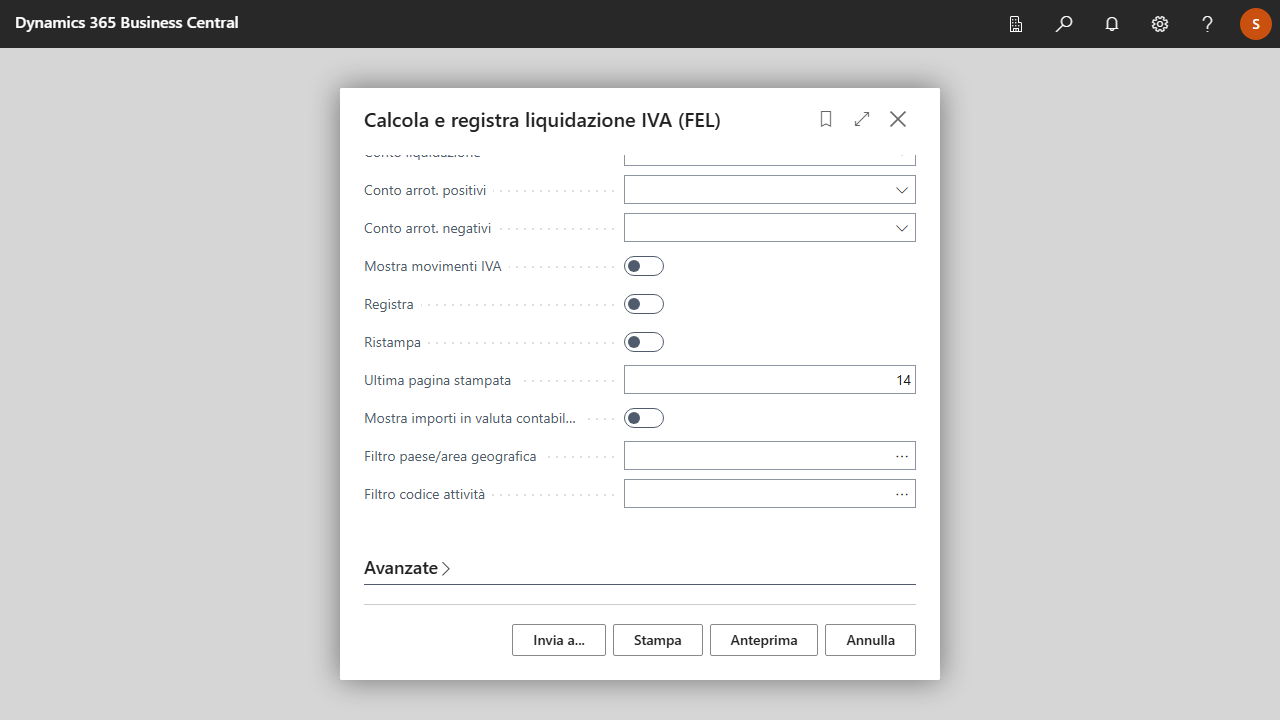
- VAT settlement, VAT register and G/L book - on the standard Business Central reports, with split payment, credit compensation, reprint, pages numbered by year and the register in PDF, or Excel for a test.
- Correct and send again - fiscal data you can update on the posted invoice, a new progressive number to send it again, and a readable HTML copy, also with the ministerial stylesheet.
Why it matters
- One product - outbound, inbound and VAT, not three tools to keep in line.
- No re-keying - fiscal data lives on the standard documents, proposed automatically and checked on release.
- An inbound cycle that flows - every document has its status, from Received to Posted, and a file in error does not stop the others.
- Reports you know - the standard Business Central reports with a short list of documented differences.
Built for
Italian companies on Business Central that issue and receive invoices through SdI, including those invoicing the public administration or retail chains, and the accounting teams that want the inbound cycle inside Business Central rather than file by file.
What makes it different
- The intermediary you choose - the app exchanges files with a folder, so changing intermediary does not change your ERP.
- Part of the AppLibra platform - with AL Arxivar, sending, receiving and digital preservation are automatic; intermediary connectors plug in the same way.
- Made for daily work - context-sensitive help with F1 on every page, and separate permissions for who works documents and who configures.
How you work
You post the sale: the XML goes to the folder, from which your intermediary takes it to SdI; with its connector you also see the delivery status. Received invoices arrive in a list with their status: you match the vendor, accept them, the app creates the purchase document, you complete the lines and post. At the end of the period you print the settlement and the registers.
Requirements
- Microsoft Dynamics 365 Business Central, version 29.0 or higher, online (SaaS) and on-premises. AppSource covers online environments; on-premises is distributed and installed directly by AppLibra, through the AppLibra License Manager.
- Languages - Italian (it-IT) and English (en-US).
- Required apps - the free base of the AppLibra platform (AL Foundation App, AL Message Passing, AL Role Center), AL Message Passing IT, AL License and Trial Management and AL Bridge, with its local agent at your site.
- Your intermediary - files reach SdI through the intermediary you choose, by folder, or automatically with AL Arxivar; you complete the lines of the purchase document, or the vendor's standard purchase codes fill them.