AL Payment Management & Open Items
by AppLibra
Customer and vendor open items as a tree by document, with payment plans and payment agreements.
In certification
The app in Business Central
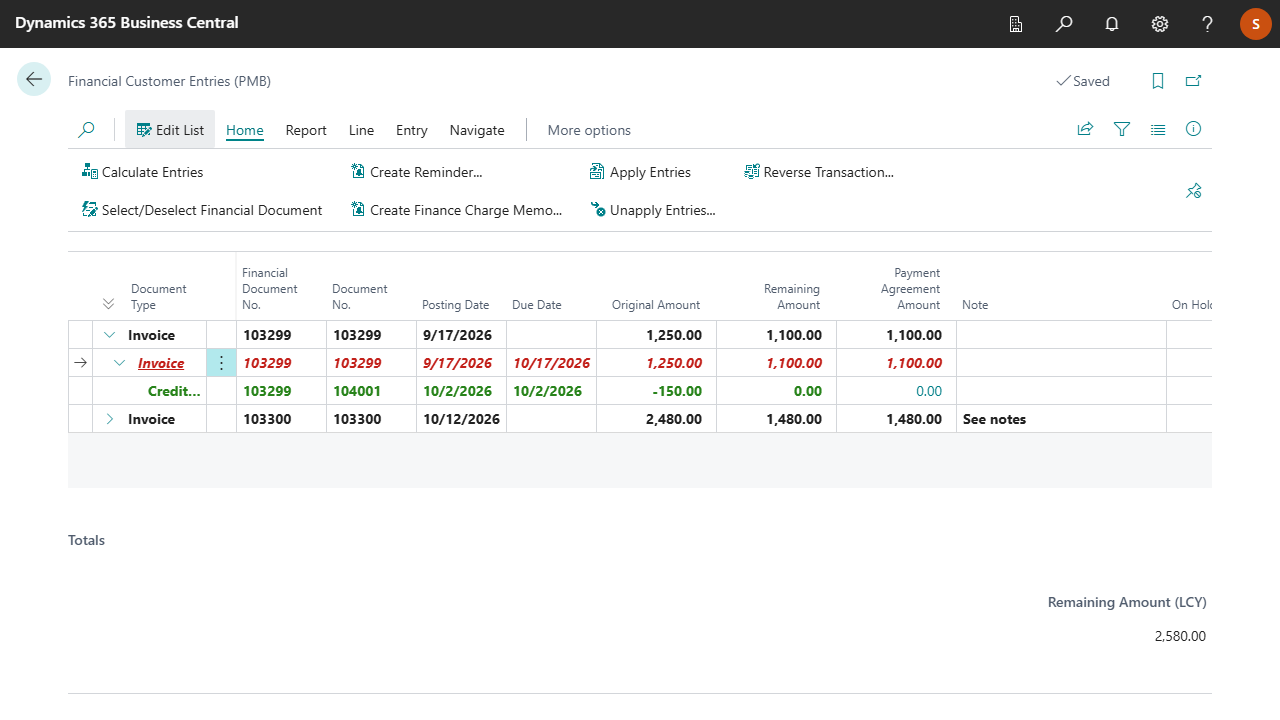
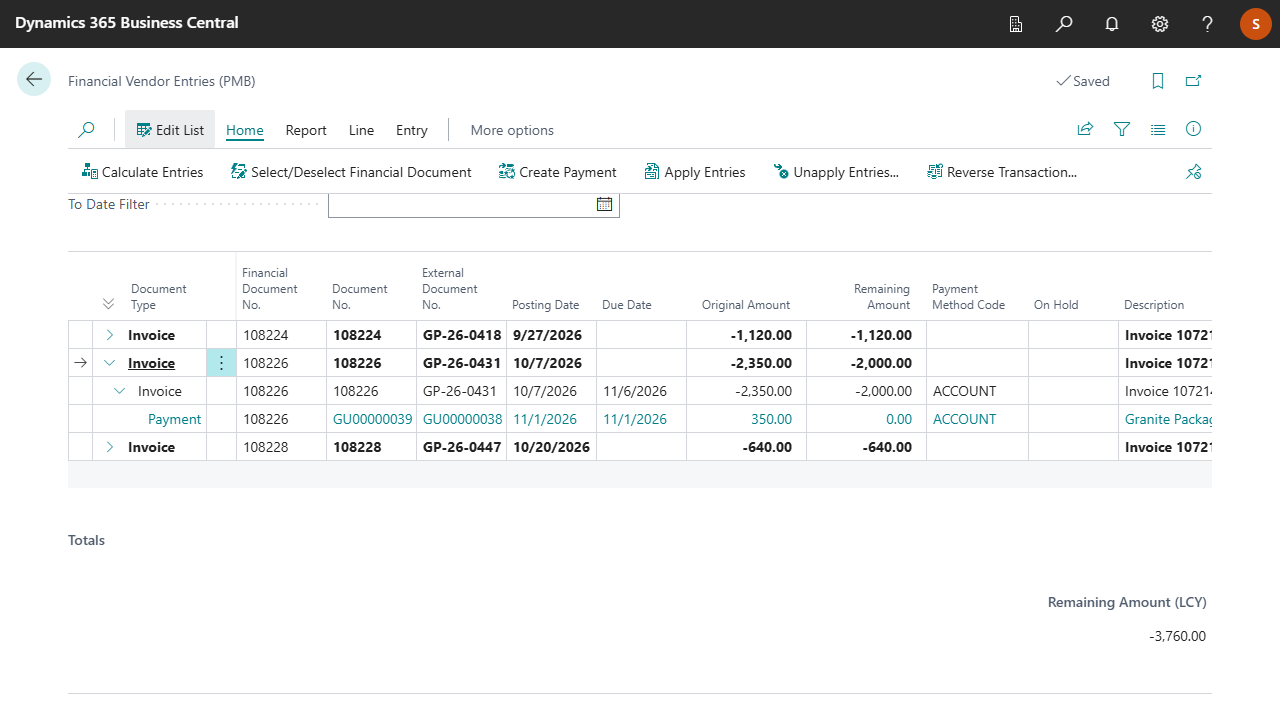
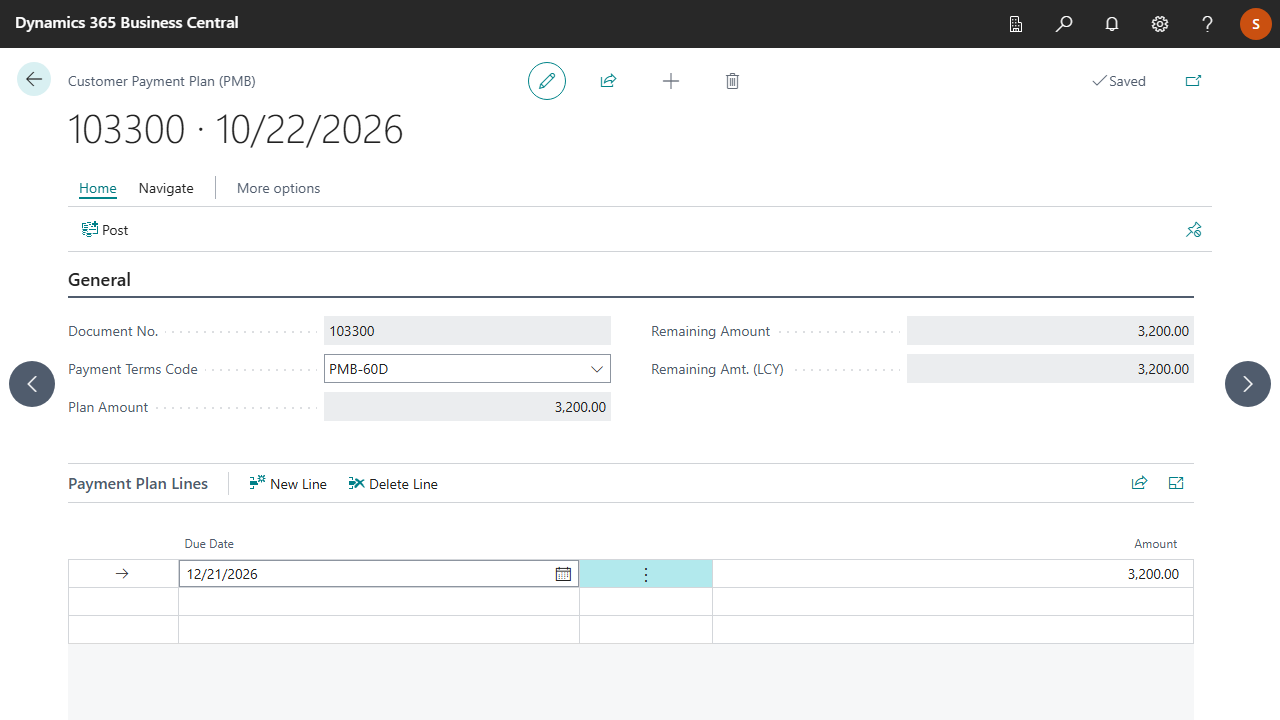
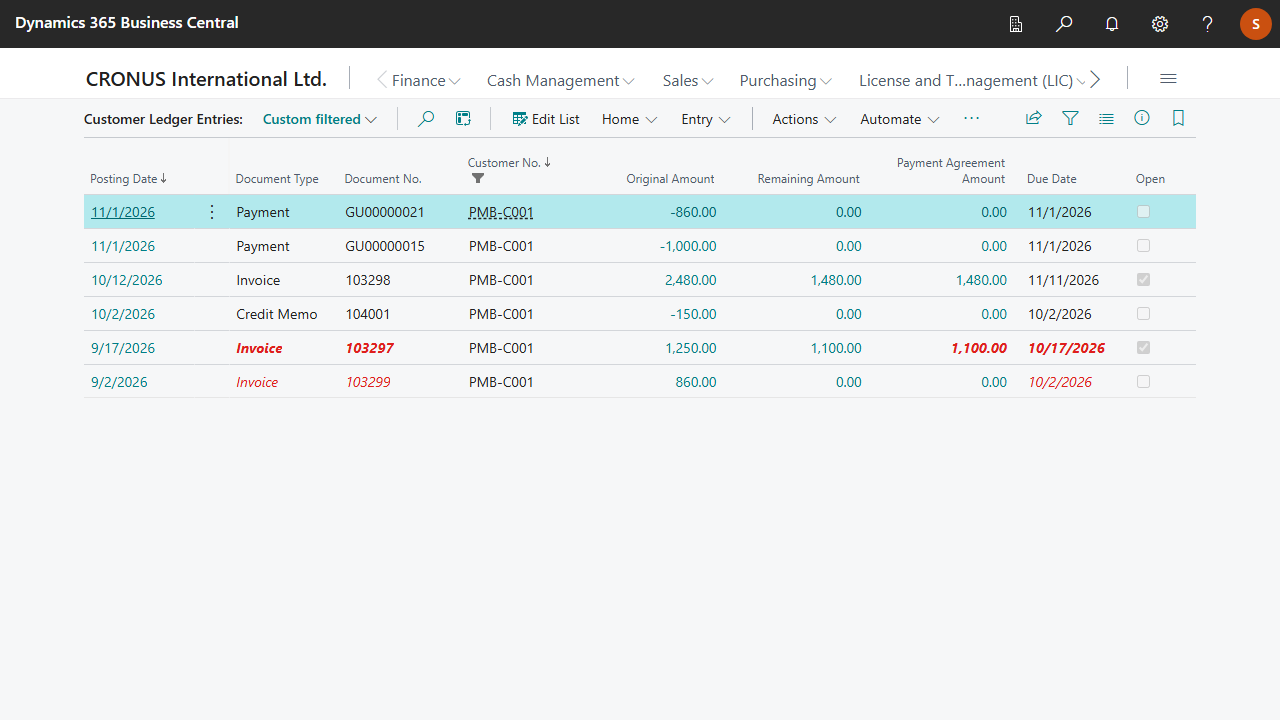
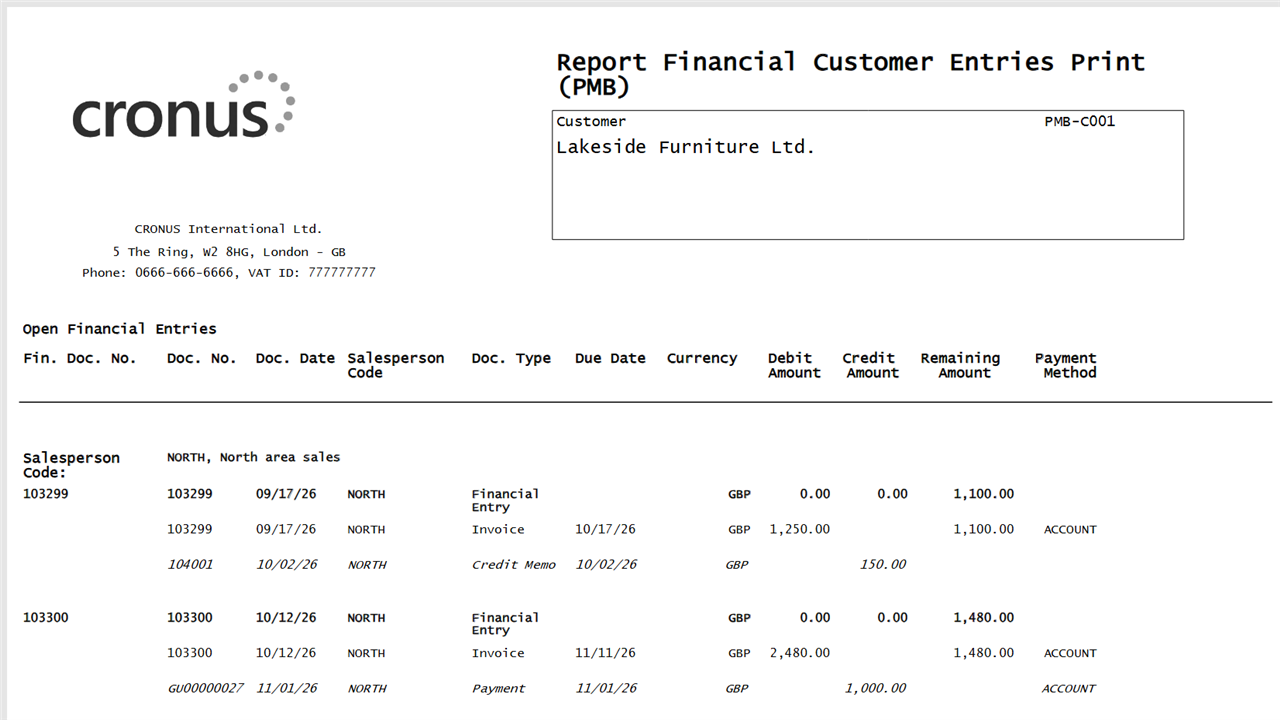
AL Payment Management & Open Items gives Microsoft Dynamics 365 Business Central a view of customer and vendor open items as a tree by financial document. Each invoice, credit memo or payment opens to show everything that was applied to it, and what is still open at the date you choose. From the same view you apply and reverse entries, remind customers and pay vendors; payment plans give a posted invoice new payment terms, and payment agreements record what a customer promised to pay.
Key capabilities
- Open items as a tree by financial document - each document opens to the entries applied to it, for customers and vendors, at any date, with filters by account, salesperson or purchaser and open documents only, remaining amounts also in local currency, and totals.
- Change the entries where you read them - due date, payment method, on hold, salesperson and notes.
- Act from the same view - apply, unapply and reverse entries; reminders and finance charge memos for customers; the payment of the open invoices you select for vendors.
- Payment plans - new payment terms and a new due date for a posted invoice, posted with a trace in the customer or vendor ledger and no general ledger entries.
- Payment agreements - payment mandates, promises and cash on delivery recorded on customer ledger entries, highlighted when the expected date has passed.
- Open items print - by customer and salesperson, or vendor and purchaser, with one PDF per account on request; from the same page, the aging in Excel and the balance to date of the account.
Why it matters
- See what is really open - document by document, at any date.
- Act without leaving the view - apply, reverse, remind, pay.
- Reschedule with a trace - new payment terms on a posted invoice, recorded in the ledger.
- Promises next to the entries - overdue payment agreements stand out on the customer ledger.
Italian localization
On an Italian Business Central the open items show the bank receipts (RiBa) and their exposure. The companion app AL Payment Management & Open Items IT adds installments in payment plans, based on the payment lines of the payment terms, the issuing of bank receipts with a preview of the invoices to present, and an option on the account book sheet to print also the accounts without entries. In the worldwide version a payment plan posts a single installment.
How it works
From a customer or vendor card you open its financial entries: every document with its entries and remaining amounts. You filter, apply, remind or pay from there. To renegotiate an invoice, you choose Update Payment Terms, pick the new payment terms and post the plan. Payment agreements are recorded on the customer ledger entry they refer to.
Requirements
- Microsoft Dynamics 365 Business Central, version 29.0 or higher, online (SaaS) and on-premises. AppSource covers online environments; on-premises is distributed and installed directly by AppLibra, through the AppLibra License Manager.
- Languages - English (en-US) and Italian (it-IT).
- Dependencies (installed automatically) - AL License and Trial Management, AL Message Passing and AL Role Center, all by AppLibra.