AL Packaging - User guide
How to set up and use the app in Business Central.
1. Concepts in one minute
- A packaging line describes one packaging combination used by a document. A document can have several lines, for example one pallet type for one part of the load and another for the rest.
- A line is linked to its document by the Record Map ID of AL Foundation App, so the same table serves sales orders, transfer orders, warehouse documents and the posted shipments they become.
- The packaging itself is made of items, typed by the Item Type of AL Foundation App: Pallet, Package, Tray, Interlayer and Angular. You do not maintain a separate catalogue: a pallet is an item, with its own unit of measure, stock and, if you use AL CONAI, its own weight.
- Ownership and travel are described by three fields: the owner (your company, the customer, the vendor or the shipping agent), the transfer type (A perdere, free of charge, or a rendere, to return) and the transport type (sender, recipient or carrier).
- Pallet composition is two numbers: how many packages make a layer, and how many layers go on a pallet. The packages per pallet are calculated from them.
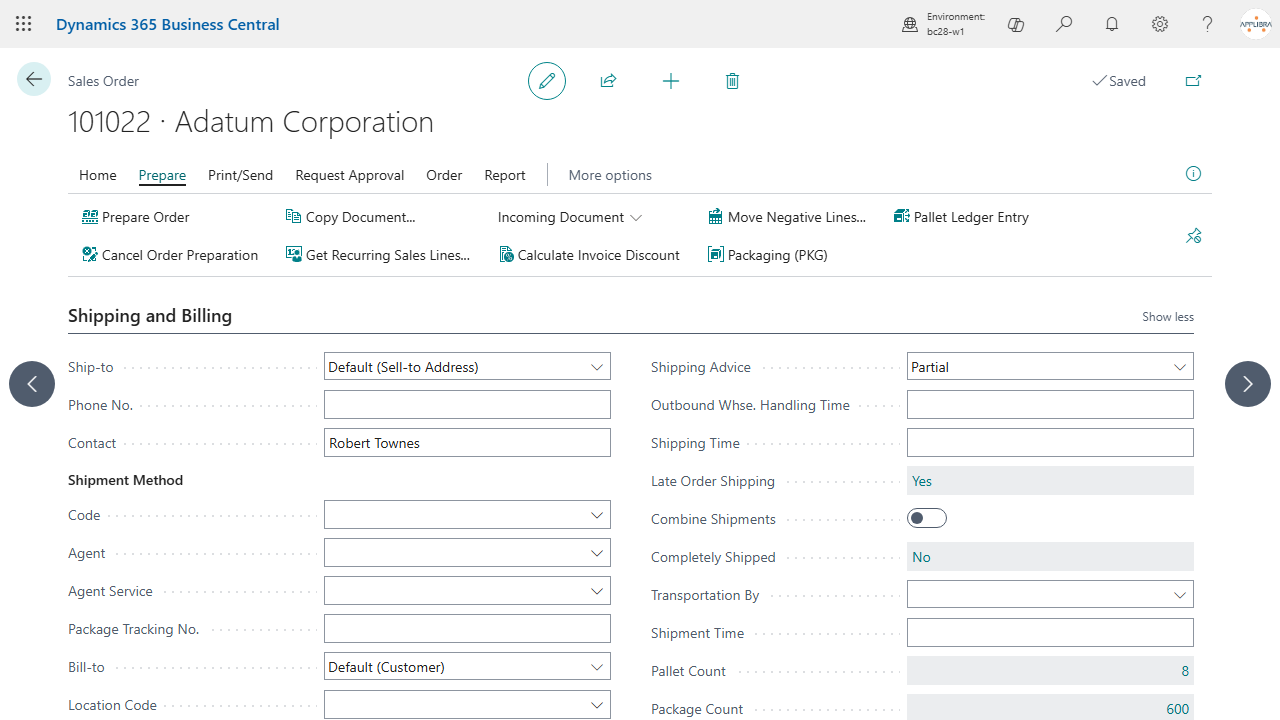
- The package count and pallet count of a document are the sums of its lines, and they show on the document header.
- When the document is posted, the packaging lines move with it: they leave the order and appear on the posted shipment, so the packaging of a shipment stays readable after posting.
2. Prerequisites
- Business Central 28.0 or higher (Cloud/SaaS).
- The dependencies installed: AL Foundation App, AL License and Trial Management, AL Message Passing, AL Role Center.
- Permissions: two assignable permission sets. Give ALPPKG-USER (AL Packaging - User) to whoever describes packaging on documents, and ALPPKG-ADMIN (AL Packaging - Administrator) to whoever configures the app. The administrator role includes the user role.
- The user role grants insert, modify and delete on the packaging lines. This is not generosity: posting a sales or transfer order moves the lines from the order to the posted shipment, so without those rights posting would fail.
3. Setup
3.1 Activate the license
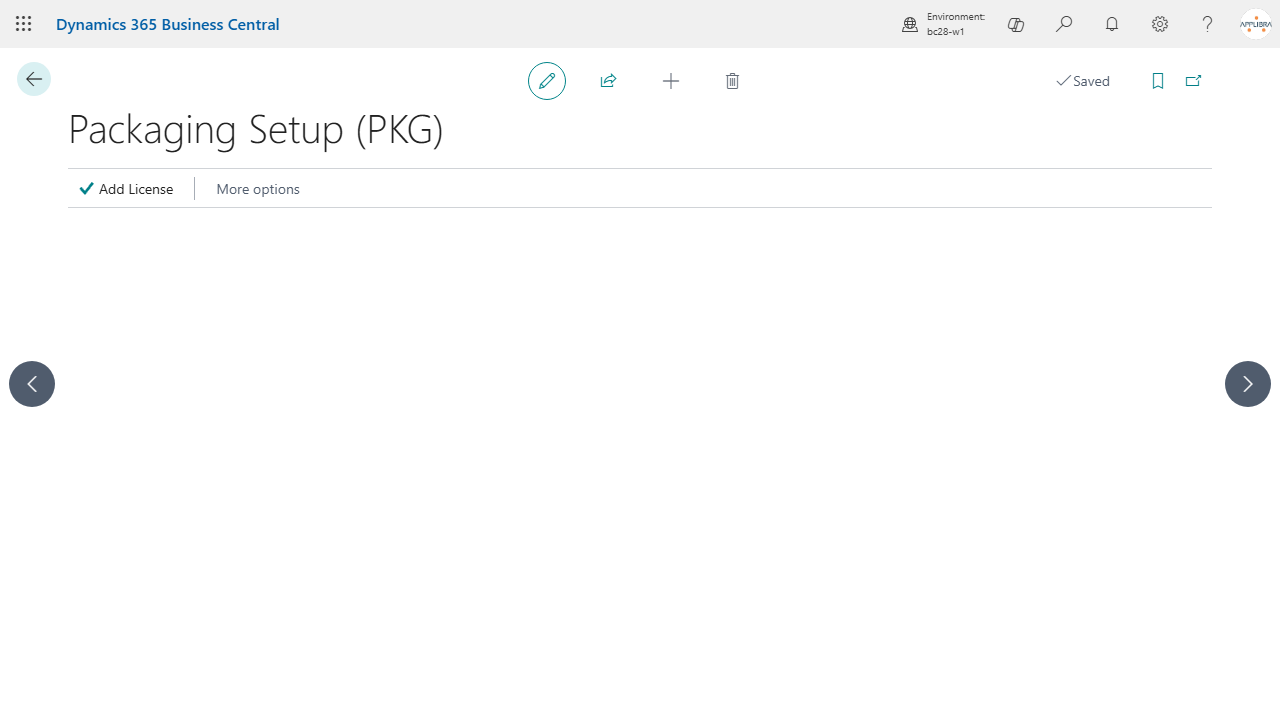
Open Packaging Setup (PKG) from Tell Me, from the Packaging group of your role center, or from the AppLibra hub. Opening it the first time creates the setup record, and that is what starts the trial through AL License. The Add License action registers a license key, or starts the trial period if none is active.
There is nothing else to configure: AL Packaging has no options that change how it behaves. Everything else is described on the items and on the documents.
3.2 Create the packaging items
Packaging is made of items. Create one item per pallet, package, tray, interlayer and angular you use, and set the Item Type (AL Foundation App) accordingly. The type is what makes the item selectable in the right field: the pallet field on a packaging line only proposes items typed as Pallet, the package field only items typed as Package, and so on.
If you also use AL CONAI, give these items their packaging weight: the environmental contribution is computed from the same items.
3.3 Default packaging on the item units of measure
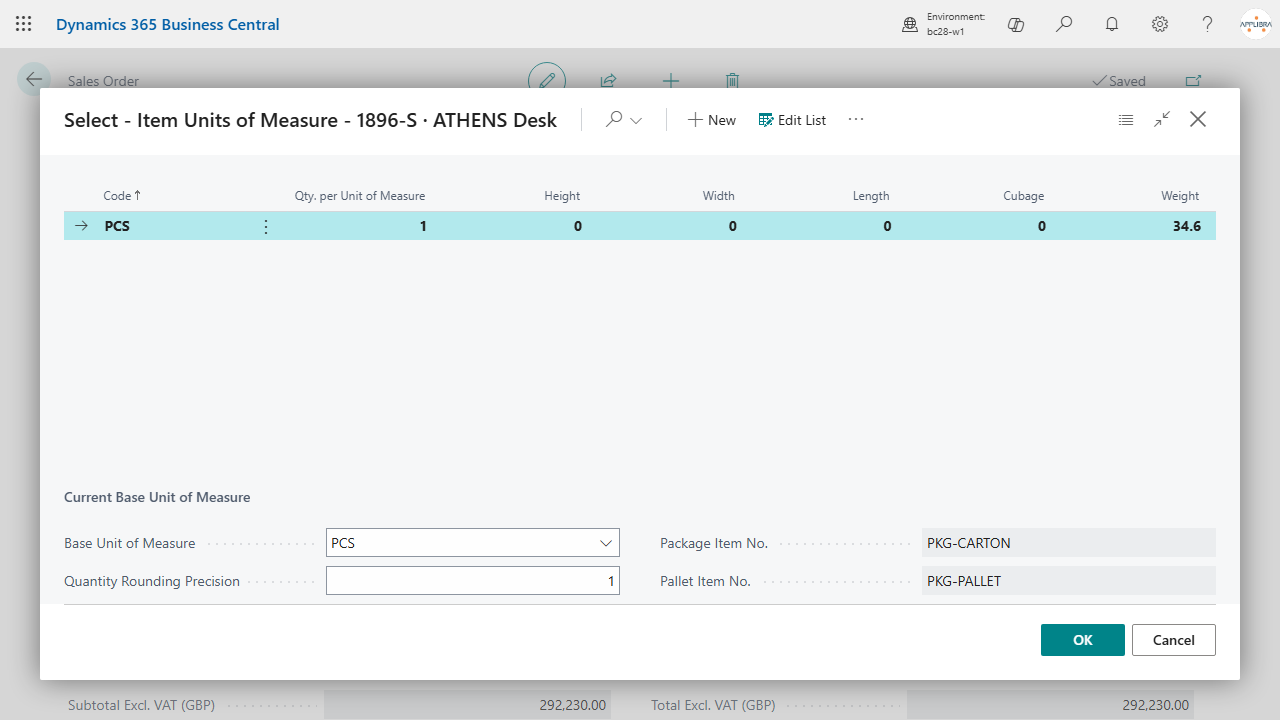
On Item Units of Measure of a sold item you can set two defaults:
- Pallet Item No.: the item used as the pallet for that unit of measure.
- Package Item No.: the item used as the package for that unit of measure.
These are the defaults the platform reads when it has to propose a packaging for an item, for example when AL Logistic prepares a package. They do not fill the document by themselves: the packaging lines of a document are created on the document.
4. Daily use
4.1 Describe the packaging of a document
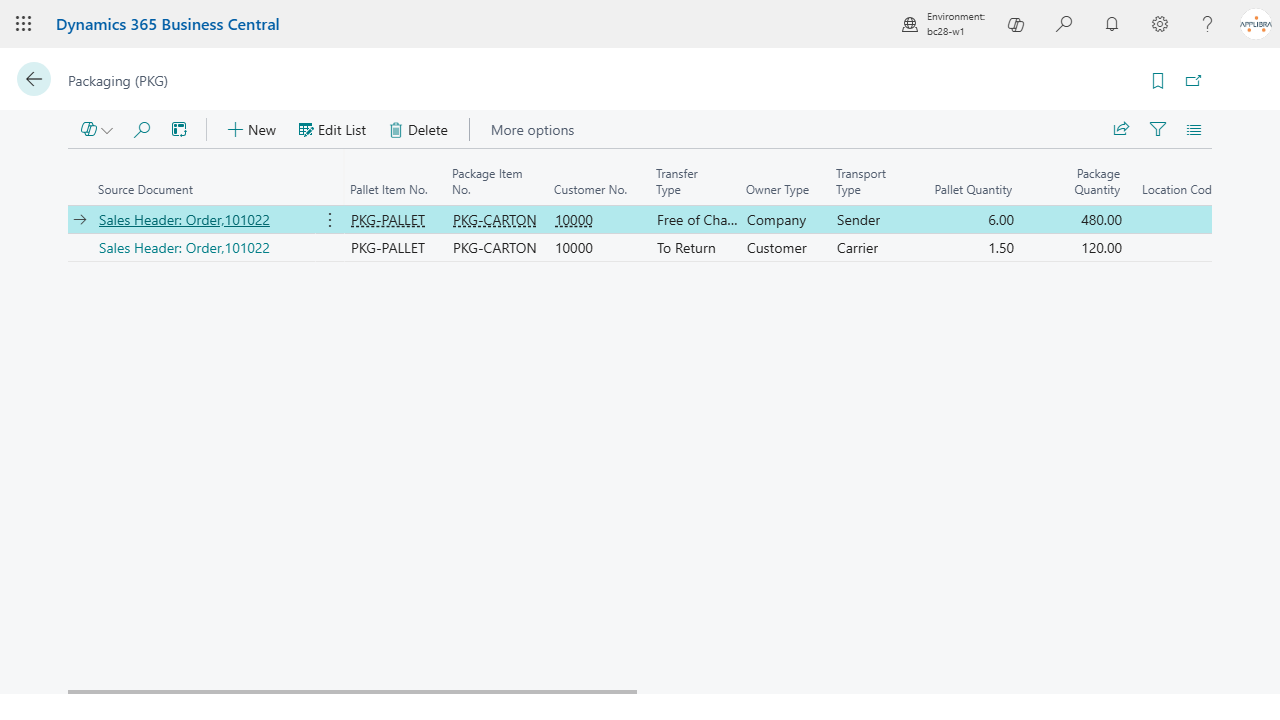
On a sales order, a transfer order or a posted sales shipment, use the Packaging (PKG) action. The list opens already filtered on that document.
Add a line and fill what applies:
- Item Pallet No. and Pallet Quantity: which pallet and how many.
- Item Package No. and Package Quantity: which package (carton) and how many.
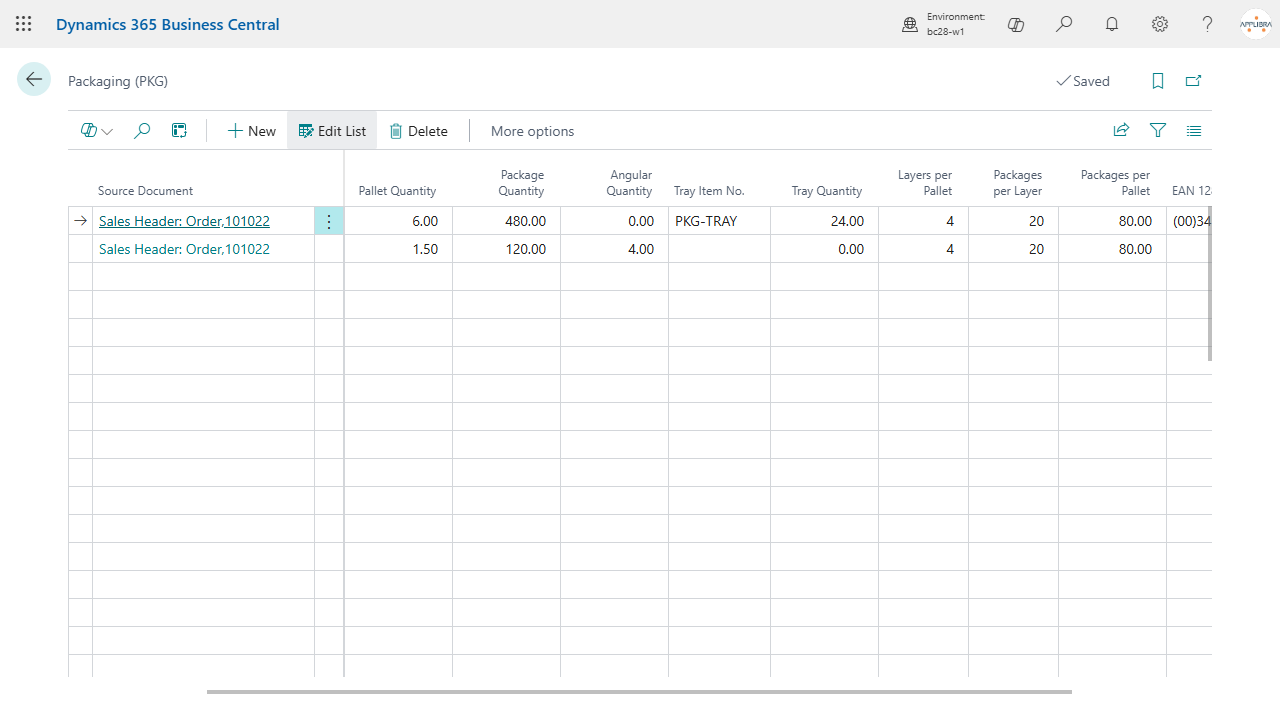
- Item Tray No. and Tray Quantity, Item Interlayer No. and Interlayer Quantity, Item Angular No. and Angular Quantity: the accessories of the load.
- Owner Type, Transfer Type and Transport Type: who owns the packaging, whether it comes back, and who arranges transport.
- EAN 128: the code that identifies the packaging on the label.
Location, customer or vendor and shipping agent are filled for you when the line is attached to its document: AL Packaging reads them from the document itself. On a transfer order it also reads the destination, so a transfer to a customer fills the customer and a transfer to a vendor fills the vendor. If you change the shipping agent on the document afterwards, the line keeps what it had: it records how that load was packed, not the current state of the header.
4.2 Pallet composition
Three fields describe how the load is built:
- Packages per Layer: how many packages make up one layer.
- Layers per Pallet: how many layers are stacked on one pallet.
- Packages per Pallet: calculated, the product of the two. You do not type it.
This is the number logistics and labels need, and it is the reason the composition lives on the document and not only on the item: the same carton can be palletised differently for different customers.
4.3 Counts on the document
The header of the sales order, the transfer order and the posted sales shipment shows Pallet Count and Package Count: the totals of the packaging lines of that document. Click a count to drill down to the lines behind it.
4.4 Posting
When you post a sales order or a transfer order, the packaging lines move from the order to the posted document. Nothing is retyped and nothing is lost: the posted shipment carries the packaging that was used, with its counts, and the Packaging (PKG) action on the posted shipment opens exactly those lines.
On the posted sales shipment you can also record the Time of Delivery, which is useful when the delivery slot matters as much as the date.
5. What other apps read from here
AL Packaging is a base, and that is the point of describing packaging once:
- AL Logistic builds the real units (the pallets and packages actually prepared) and writes the real counts back onto the packaging lines.
- AL Customer Packaging Profiles proposes the packaging of a sales line from the profile of that customer, so the lines are filled from a rule instead of by hand.
- AL CONAI uses the packaging items and their weights for the environmental contribution.
- Labels read the pallet composition and the EAN 128.
6. Where to find it
- Tell Me: search "PKG", or directly "Packaging (PKG)" and "Packaging Setup (PKG)".
- Role center: the Packaging (PKG) group on the Order Processor role center, and the same group in the AppLibra hub, with the setup in the shared Setup section.
- Manual Setup: "Packaging Setup (PKG)", next to the standard Business Central setups.
- On documents: the Packaging (PKG) action on sales orders, transfer orders and posted sales shipments.
- On items: the Pallet Item No. and Package Item No. fields on Item Units of Measure.
7. FAQ and limits
- Do I have to fill every field on a line? No. A line describes what you use: if you ship on pallets without trays, leave the tray fields empty.
- Can a document have more than one packaging line? Yes, and it is the normal case when a load mixes packaging types.
- Why is the pallet field not proposing my item? The field only offers items with the matching Item Type. An item that is not typed as Pallet will not appear there.
- I changed the shipping agent on the order and the line did not follow. That is intended: the line records how the load was packed at the time it was described.
- What happens to the lines when I post? They move to the posted document. They are not copied and they are not deleted.
- Are the counts rounded? Yes, to whole pallets and whole packages: you cannot ship two thirds of a carton.
- Does AL Packaging decide how to pack? No. It records the decision and makes it available to the apps that act on it. The rules that propose a packaging live in AL Customer Packaging Profiles.
8. Support and resources
- Publisher: AppLibra - https://applibra.com
- Apps catalog: https://applibra.com/apps
- Privacy policy: https://applibra.com/privacy-policy
- EULA: https://applibra.com/eula